Managing your subscription and billing
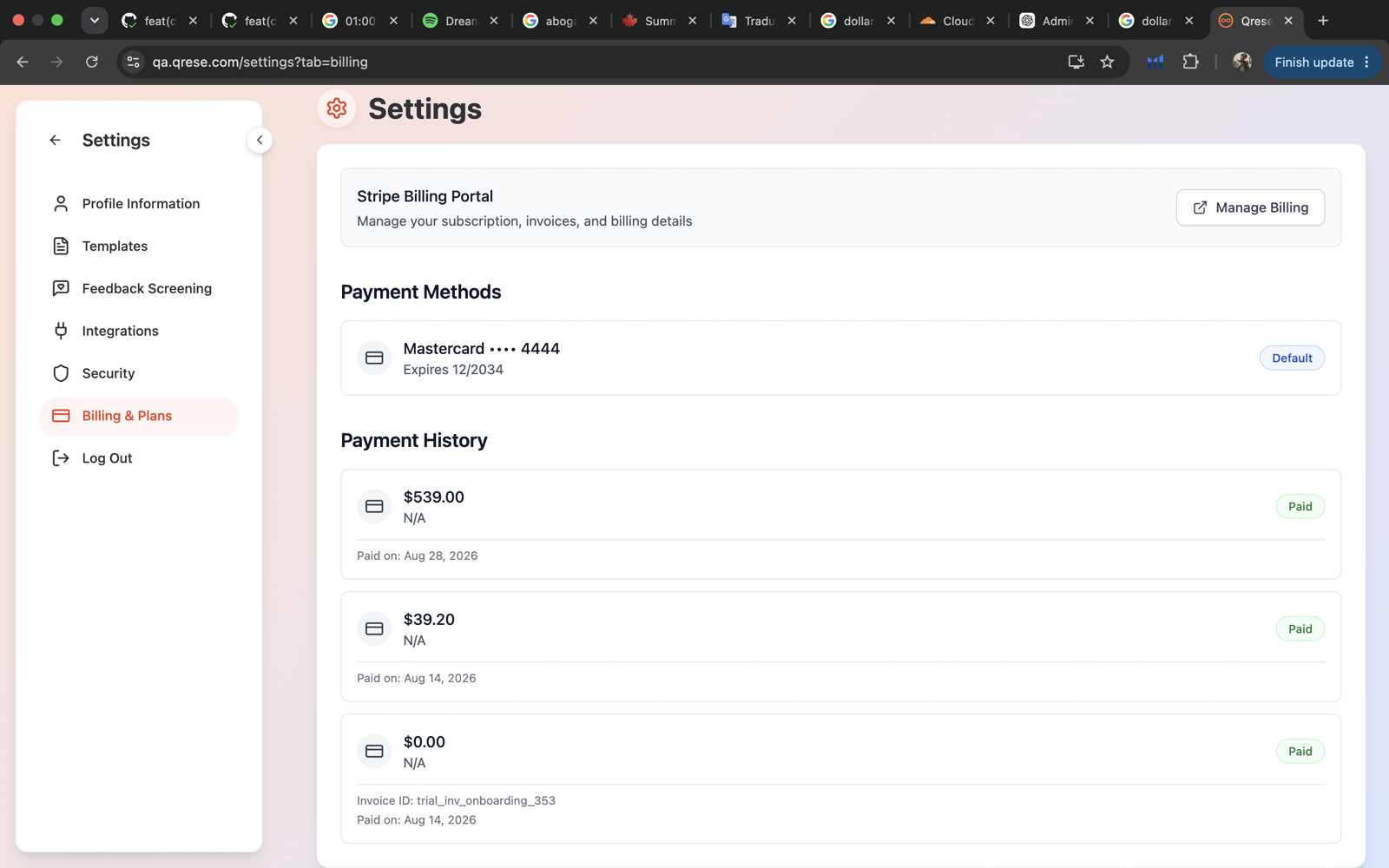
Everything about your plan and payments lives in Settings → Billing & Plans. (If you had an old /billing bookmark, it takes you to the same place.)
During your trial
While you're on a trial, the Billing section shows how many trial days remain and the plans you can upgrade to — monthly or annual. Pick a plan and you'll be taken to a secure checkout to enter your card. When you finish, you land back in Qrese with your subscription active.
After you subscribe
Once you have an active subscription you'll see:
- Your current plan and payment method (Visa, Mastercard, Amex and other major cards are supported).
- The Stripe Billing Portal button — *"Manage your subscription, invoices, and billing details"*. Use it to update your card, download invoices, or change/cancel your plan. Stripe is the secure payment provider Qrese uses; your card details never touch Qrese directly.
Adding locations
Your subscription is priced per location. When you add a new location through the guided flow, you'll see the price and confirm the charge before anything is billed — see Adding a new location.
If your subscription expires
When a subscription lapses, Qrese shows a subscription expired screen and the app is paused until you renew. Nothing is deleted — your locations, customers and reviews are all waiting. Go to Settings → Billing & Plans, choose a plan, and everything picks up where it left off.
Tips
- The annual plan is the better deal if you're staying — check both prices on the upgrade screen.
- Invoice for your accountant? Stripe Billing Portal → invoices, download as PDF.