Understanding the Locations page
The Locations page is the home of everything about one of your business locations: its listing details, connected platforms, metrics, business hours and services. Use the location selector to switch between locations.
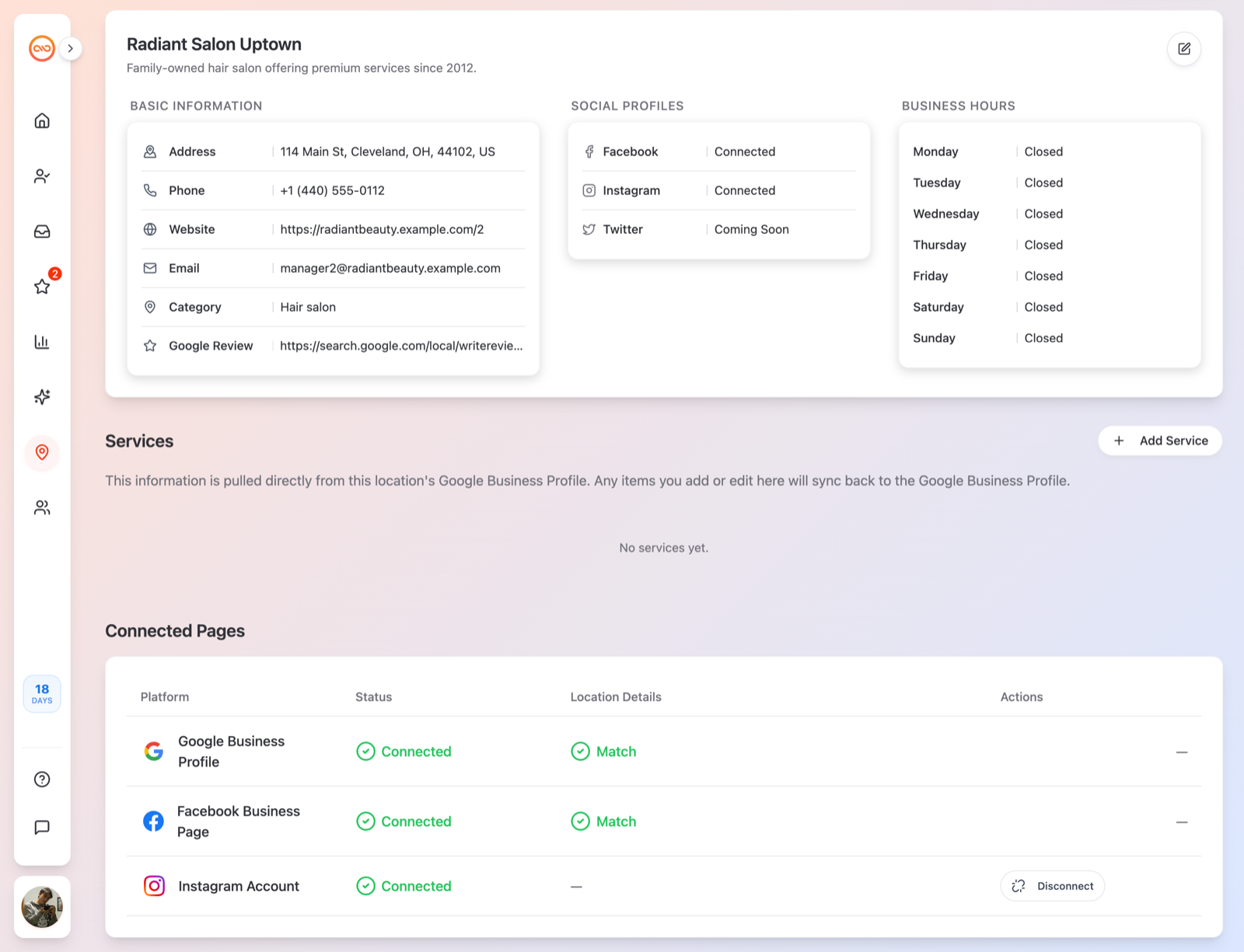
Location Details
The top section shows the location's basic listing information — Address, Category, Phone, Email and Website — plus your Business Hours and Social Profiles (Facebook, Instagram, Twitter links). Click Edit Location to change any of it.
Metrics
The Metrics card shows how people find and interact with your listing, switchable between Last 7 days, Last 30 days and Last 90 days:
- Impressions — how many times your listing was shown.
- Call Taps — people who tapped to call you.
- Direction Taps — people who asked for directions.
- Website Taps — people who opened your website.
- Showcase Taps and Google Review activity.
Keeping your listing in sync
If the details in Qrese and the details on Google or Facebook don't match, you'll see Mismatched fields listed. Use the Sync button on the platform row to pull the latest listing details — when it finishes you'll see a message like *"Successfully synced [fields] with google"*.
Services
The Services section lets you showcase what you offer (this also helps the AI answer customer questions accurately):
- 1. Add a service with a Title (e.g. *Private Event Catering*), a price, and a description (max 300 characters — promotions work too, e.g. *2x1 on all pizzas this weekend*).
- 2. Optionally add an Image URL for a photo.
- 3. To remove one, delete it and confirm Delete this service?.
Apple Maps Visibility
If you connect Apple Business, the Apple Maps Visibility section shows how your listing appears on Apple Maps. See [Connecting your pages to a location].
Tips
- Each location has its own connections and metrics — always check the location selector before reading the numbers.
- Team members with the User role only see the locations assigned to them; if a location is missing, ask your admin to assign it.