Importing your customer list
Bring your existing customers into Qrese in one go by uploading a CSV file. The import wizard walks you through six short steps and can even send review requests to everyone as soon as they're imported.
Before you start
- Export your customers from your current system (booking software, spreadsheet, etc.) and have the file handy.
- The file must be a .csv file. If you have an Excel file, open it and use *Save As → CSV* first.
Steps
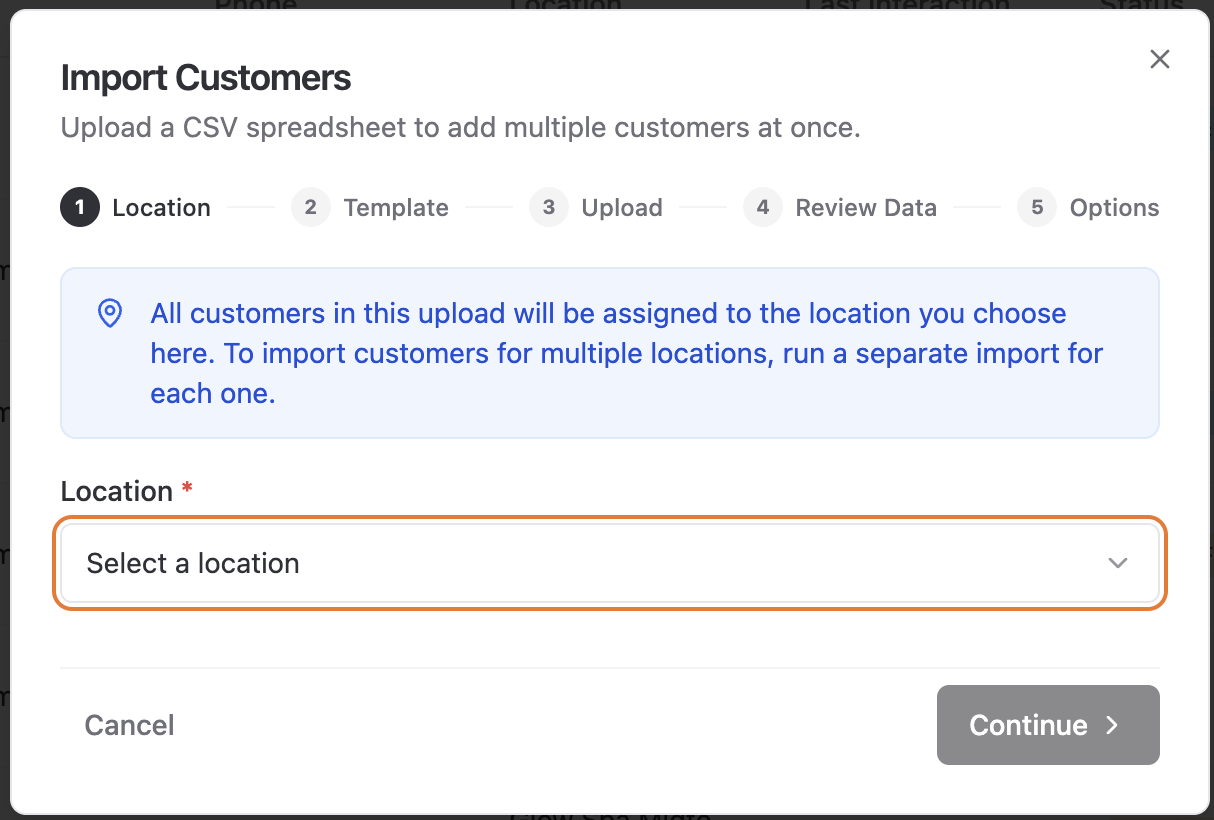
- 1. Go to the Customers page and click Import Customer List.
- 2. Location — choose which location these customers belong to.
- 3. Template — download the Qrese template (qrese-customer-import-template.csv) so your columns match. The columns are:
- Customer First Name (required)
- Customer Last Name (required)
- Phone Number (required)
- Email Address (optional)
- 4. Upload — drag in or select your .csv file.
- 5. Review Data — Qrese checks every row and highlights problems so you can fix them right in the wizard:
- First and last name are required (50 characters max).
- Phone number is required and must be a valid number.
- Email, if present, must be a valid address.
You can edit any cell or remove a bad row before continuing.
- 6. Options — choose what happens after the import:
- Send review requests immediately — every imported customer gets a review request right away.
- Add as new, request reviews manually — customers are imported with status New and nothing is sent until you decide.
- 7. Complete — you'll see Import Complete with a summary of how many customers were created.
Troubleshooting
- "Please upload a .csv file." — the file isn't a CSV. Re-save it as CSV and try again.
- "No customers were imported. Please check your file." — the file didn't contain valid rows; make sure you used the template columns.
- "X imported, Y failed." — some rows had problems (often duplicates or invalid phone numbers). The valid ones were still imported.
- Duplicates: if a customer with the same email or phone already exists at that location, the row is skipped instead of creating a duplicate.
Tips
- US phone numbers can be in any common format — (440) 555-0199, 440-555-0199 or 4405550199 all work.
- Importing a list from Vagaro or another booking system? Export their customer list, then copy the name, phone and email columns into the Qrese template.