Switching locations on the Dashboard and Review Insights
If your business has more than one location, the location selector lets you switch which location's numbers and insights you're looking at — everything on the page reloads for the location you pick.
Before you start
- Regular users only see the locations that have been assigned to them. If a location you expect is missing from the list, ask your account admin to give you access.
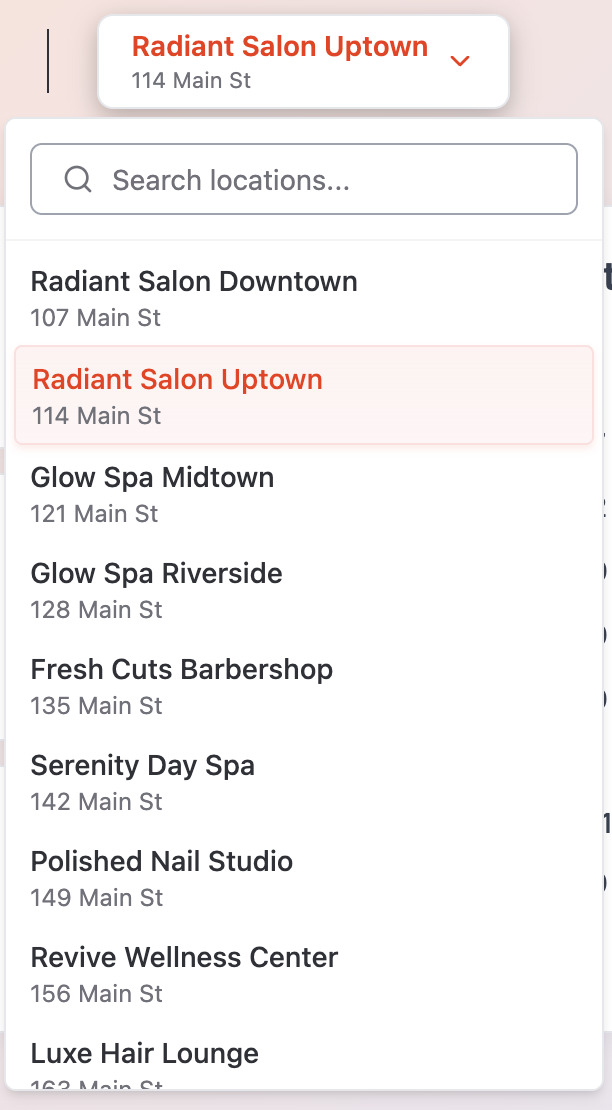
Switch location on the Dashboard
- 1. On the Dashboard, click the location selector next to the Dashboard title. It shows the current location's name and address.
- 2. Type in the Search locations... field to filter the list, or simply scroll through it.
- 3. Click the location you want.
- 4. All KPI cards, charts, the AI Customer Feedback Summary and Recent Activity reload with that location's data.
Switch location on Review Insights
- 1. On the Review Insights page, click the location selector next to the Review Insights title.
- 2. Search or scroll to find the location, then click it.
- 3. The analysis reloads for that location. If no analysis exists yet for the selected period this month, the AI generates one — you'll see Analyzing reviews... while it works.
Tips
- Your selection carries the context for everything on the page, so double-check the name and address in the selector before comparing numbers between visits.
- The first time you ever open a location's Dashboard, Qrese syncs its latest reviews. Cards may show Syncing latest data... for up to a couple of minutes — they'll fill in automatically.
- Switching locations is the fastest way to compare performance: flip between two locations on the same tab (for example, Review Trends at Last 90 Days) to spot which one needs attention.
Troubleshooting
- A location doesn't appear in the list — you may not have been assigned to it. Admins can see all locations; regular users only see their own. Contact your admin to request access.
- The page shows loading skeletons and nothing else — the list of locations is still loading, or no location is selected yet. Wait a moment; if it persists, refresh the page.